


Download M Beat – Free iTunes Menu Bar Controller for Mac
M Beat is a lightweight, free utility that places iTunes controls right in your Mac menu bar. Designed for macOS users who want instant access to playback, volume, and playlist navigation without opening iTunes, M Beat has been a steady favorite since its first catalog entry in 2006. With more than 10,000 downloads worldwide and support for both English and Spanish interfaces, the app fits neatly into the “Customize your Mac” category under iTunes accessories.
The current stable release, version 3.0, was last updated on 27 November 2006 and runs on Mac OS X and earlier Mac operating systems. Its tiny footprint means it consumes almost no disk space, making it an ideal addition for users who value speed and simplicity. Whether you’re a music enthusiast, a podcaster, or just someone who likes to keep their workflow uninterrupted, M Beat delivers a reliable, secure way to manage iTunes from the convenience of the menu bar.
Key Features of M Beat
- Menu‑Bar Playback Controls: Play, pause, skip forward/backward, and stop iTunes with a single click.
- Volume Slider: Adjust the iTunes volume directly from the menu bar without opening the main window.
- Playlist Quick‑Switch: Select any of your iTunes playlists instantly, reducing the time spent navigating the library.
- Now‑Playing Information: See the current track title, artist, and album art in a compact pop‑up.
- Multi‑Language Support: Interface available in English and Spanish, catering to a broader user base.
- Low Resource Consumption: Uses minimal CPU and memory, keeping your Mac responsive even during heavy tasks.
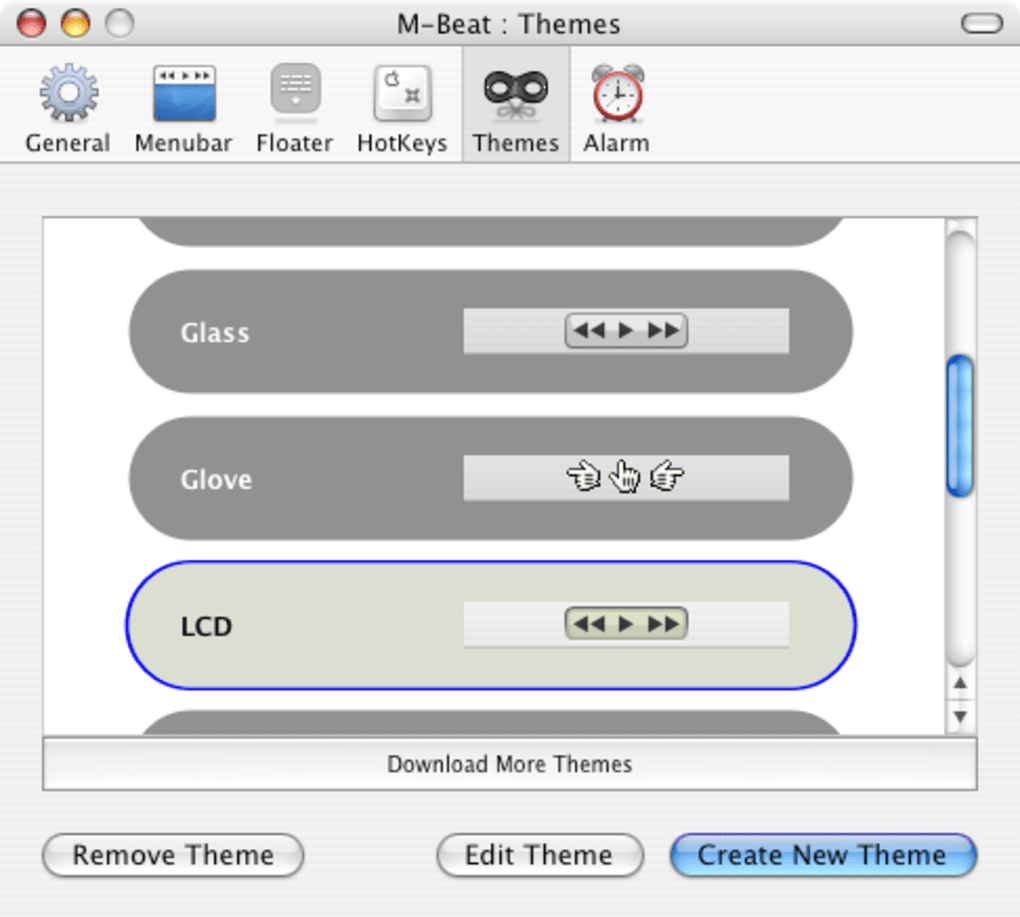
- Customizable Appearance: Choose between a minimalist icon or a detailed track display to match your workflow.
- Secure Integration: Communicates with iTunes through Apple’s native APIs, ensuring a safe and stable connection.
- Automatic Updates: Checks for newer versions at launch, so you always have the latest bug fixes.
- Free License: No hidden fees or trial periods – M Beat is completely free for personal use.
Installation, Usage, and Compatibility
Installing M Beat is straightforward, even for users who are not technically inclined. First, download the installer package from the official site. The file is a
standard .dmg image that opens like any other Mac disk image.
Drag the M Beat icon into your Applications folder, then double‑click to launch. The app will request permission to control iTunes; granting this access is essential for the menu‑bar controls to function. Once approved, M Beat automatically adds its icon to the menu bar, where you can begin controlling iTunes immediately.
Using the application is intuitive. Clicking the menu‑bar icon reveals a dropdown with playback buttons, a volume slider, and a list of your iTunes playlists. Hover over the now‑playing area to see detailed track information, including album art, which updates in real time as the song changes. The playlist submenu lets you switch libraries with just a couple of clicks, making it ideal for DJs or users who maintain multiple music collections. For those who prefer keyboard shortcuts, M Beat supports macOS’s native shortcut system – you can assign custom key combinations via the System Preferences → Keyboard → Shortcuts panel.
In terms of compatibility, M Beat runs on macOS 10.4 (Tiger) through macOS 10.6 (Snow Leopard) and earlier versions that still support iTunes. While the software was last updated in 2006, its reliance on core Apple APIs means it remains functional on legacy systems that haven’t migrated to the newer Music app. Users on the very latest macOS releases may experience limited functionality, as Apple has deprecated iTunes in favor of the Music app. However, for anyone still operating on a Mac that runs iTunes, M Beat offers a seamless, secure way to keep control at your fingertips.
Pros and Cons
Pros
- Completely free with no hidden costs.
- Extremely lightweight – negligible impact on system performance.
- Provides instant iTunes access from the menu bar.
- Supports both English and Spanish, broadening its appeal.
- Simple installation process suitable for all skill levels.
- Customizable UI lets you choose the level of detail you want.
- Secure integration via Apple’s native APIs.
Cons
- Last updated in 2006; may not be compatible with macOS versions that have replaced iTunes.
- Lacks advanced features such as lyric display or third‑party service integration.
- No official support channel – community forums are the primary help source.
- Limited to macOS only; no Windows, Android, or iOS versions.
- Interface is basic compared to modern macOS utilities.
Frequently Asked Questions
Is M Beat still safe to download?
Yes. M Beat is a small, free utility that has been vetted by many Mac users over the years. It uses Apple’s built‑in APIs to communicate with iTunes, so there are no hidden background processes or malware.
Can I use M Beat with the new Music app on macOS Catalina and later?
M Beat was built specifically for iTunes, so it does not natively control the Music app introduced in macOS Catalina. Users on those newer systems will need to stick with iTunes‑compatible macOS versions or look for alternative menu‑bar controllers.
Do I need an internet connection for M Beat to work?
No. M Beat works entirely locally on your Mac. It only requires iTunes to be installed and running; an internet connection is only needed if you stream music from online services within iTunes.
How much disk space does M Beat occupy?
M Beat is exceptionally lightweight – the entire application package is under 2 MB, leaving almost no impact on your storage capacity.
Can I customize keyboard shortcuts for M Beat?
Yes. While M Beat does not include a built‑in shortcut manager, you can assign your own shortcuts through macOS System Preferences → Keyboard → Shortcuts, linking them to the menu‑bar commands.
Conclusion – Should You Download M Beat?
If you still run iTunes on a Mac and want a fast, unobtrusive way to control playback without opening the full application, M Beat remains a solid choice. Its free price tag, tiny footprint, and straightforward interface make it especially appealing for users who value simplicity over flashy features. While the lack of recent updates means it won’t work on the newest macOS releases that have retired iTunes, for legacy systems it still delivers a reliable, secure experience.
To get started, simply click the download button below, install the .dmg, and enjoy instant menu‑bar control of your music library.
Download M Beat – Free
Pros: Free, lightweight, instant iTunes access, multilingual.
Cons: No support for macOS Catalina+ Music app, outdated UI.







